Documentation · Operating
Creating application users
A browser signs in with a form; an MCP client cannot. Accounts therefore carry API tokens, and the access matrix decides which configs each account may drive.
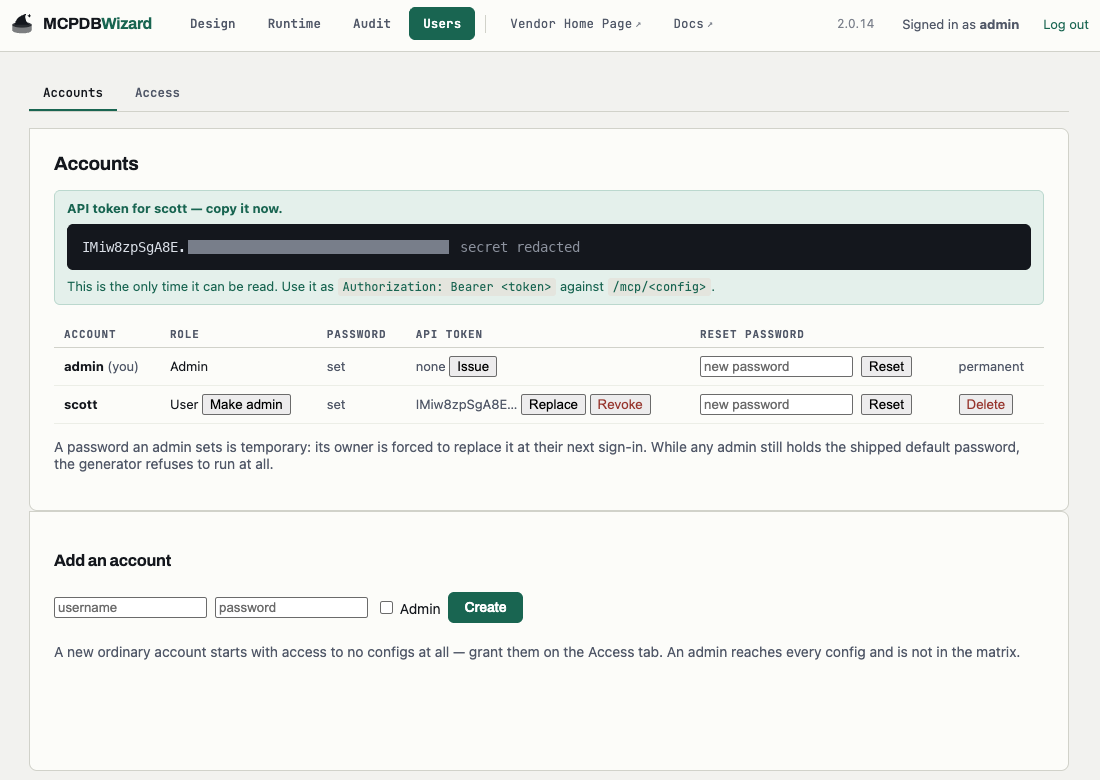
Issuing a token
On the Users page, issue the account a token. It is shown exactly once — only a BCrypt hash
is stored — and it takes the form Bearer <id>.<secret>.
{ "headers": { "Authorization": "Bearer <id>.<secret>" } }A token alone is not access
A new account starts with no grants. Tick the configs it may drive on the Access grid. The two are separate on purpose: the token says who, the grid says what.
| You see | It means |
|---|---|
| 401 | No token, or a stale or revoked one |
| 403 | Signed in, but not granted that config |
| 503 | Nothing is serving that config — start it on the Runtime page |
| 429 | Over a per-caller rate limit; Retry-After says how long |
Authorization is per config, not per tool
The grid decides which configs an account may drive. It does not map roles to individual tools at run time, and that is a design decision rather than a gap: an object left out of a config has no code generated for it at all, so enforcement by absence is stronger than a rule in a running process.
Two teams needing different tools over one schema is two configs. That also narrows what each account can reach, since configs are the unit of both curation and access.
The first admin
The account named by ADMIN_USERNAME cannot be deleted or demoted, even once other admins exist —
it is the way back from a mistake in the access matrix. Other admins are ordinary in this respect.
Getting in the first time: there is no default password. On its first start the deployment
generates one of its own and writes it to initial-admin-password in the config directory. The
sign-in page names that exact path, so you do not have to remember it:
docker exec mcpdbwizard cat /data/initial-admin-passwordSign in with it and you are taken straight to a change-password form — the console will not do anything else until you have chosen your own. The file is deleted the moment you do, so it cannot sit on the volume being a credential nobody is watching.
Setting ADMIN_INITIAL_PASSWORD chooses that first password yourself instead, and no file is
written. You are still required to change it at first sign-in.